
Work
The Lantern We Kept
by Anonymous · Original Work
Slow BurnFound FamilyComplete
24/24 chapters · 61,480 words
Chapter 19 of 2476%
1,204 bookmarks3,870 kudos
The Archive of Our Own, one tap away.
AO3 is the fanfiction archive that readers and writers built for each other. Every work is tagged by the person who wrote it, so a search can follow a fandom, a pairing or one small detail you remember. This reader brings that archive to Android, iOS, HarmonyOS and Windows without a browser tab.
Work
The Lantern We Kept
by Anonymous · Original Work
24/24 chapters · 61,480 words
AO3 — the Archive of Our Own — is a fanfiction archive where people post the stories they write and read the stories other people posted. It is a project of the Organization for Transformative Works, a non-profit run by volunteers rather than a company selling subscriptions.
What makes AO3 unusual is its structure. Every work carries tags chosen by its author, and the search runs on those tags: fandom, characters, relationships, content notes, completion status, language and length in words.
This page is the AO3 reader guide we keep alongside the app: what the archive is, how the reading view behaves on a phone, and how to get from a tag you like to a chapter you can actually finish.
“The archive was never a shop. It is a shelf that the people reading it keep in order.”
Reader notes · anonymous
Launch, search results, the navigation drawer, the archive's own about page and the translation settings — captured from AO3 itself.
Launch screen
The app opens on the archive masthead while the reader loads.
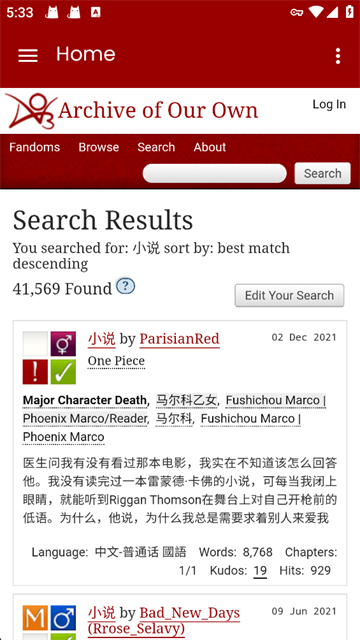
Search results
Works listed by best match, with tags, language and chapter counts.
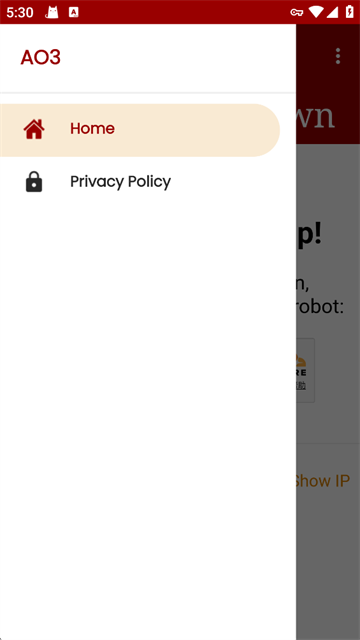
Navigation drawer
Home and privacy notes, one tap from any page.
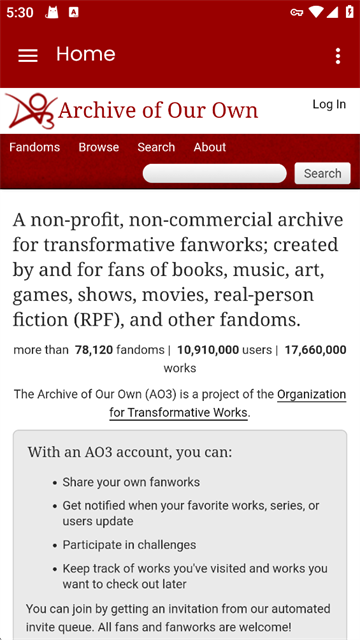
About the archive
What the archive is, and what an archive account adds.
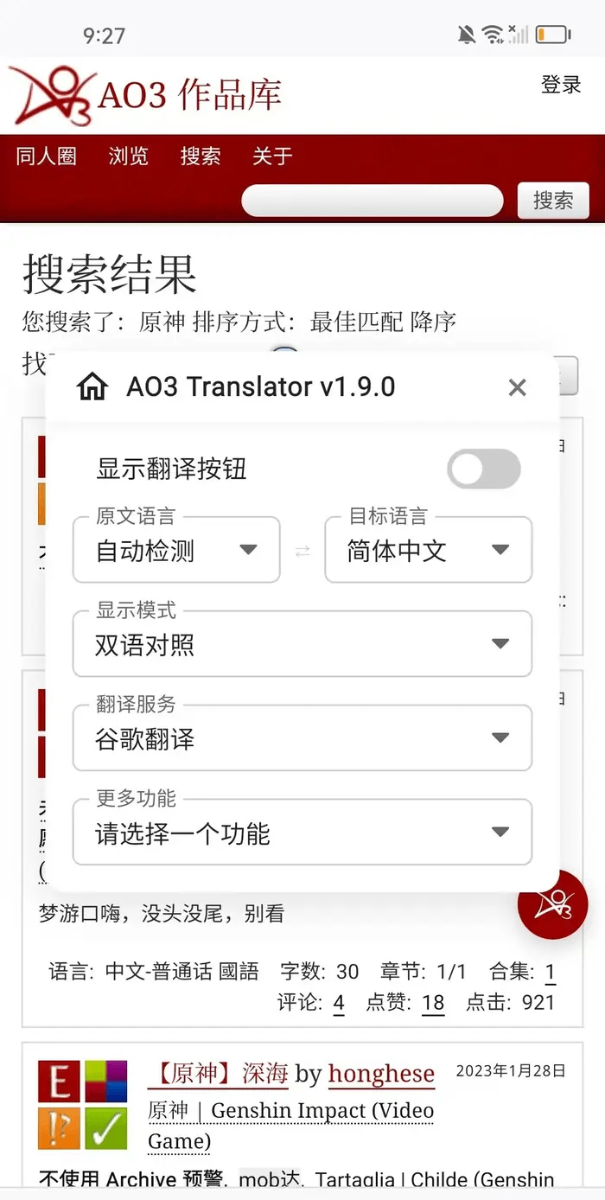
Translation settings
Choose source and target language, then read in side-by-side mode.
Every screenshot is taken from the app on a phone, so what you see here is the real layout, not a mock-up.

One tag, ten chapters, one quiet evening.
The archive holds more than a reader can finish, which is the point. AO3 filters keep the list honest, and a saved work keeps your place when the evening ends mid-chapter.
Nothing here reinvents AO3. The app keeps the archive's own logic — tags, chapters, series — and removes the parts that feel slow on a small screen.
Start from one fandom, one character, or one tag on AO3. Refine with completion status, word count and language while you stay inside the same AO3 result list.
Hide the tags you never open, sort AO3 results by kudos or by the freshest update, and keep your choices for the next session instead of rebuilding them every time.
An AO3 series opens as a numbered list, so part three follows part two. Chapter navigation stays at the top and the bottom of every page.
Set the type size, line height, page margins and a warm paper background. AO3 narrows the column on a wide screen so the lines stay short.
Keep a quiet AO3 list for the evening. Each saved work remembers the chapter you stopped at, so the next session starts on the same line.
Browsing, searching and reading on AO3 all work signed out. Nothing is locked behind a profile, and AO3 is supported by donations rather than advertising.
Four steps, in the order AO3 shows them. No account is needed at any point.
The first AO3 screen is the archive front page: recently updated works on the left, tag shortcuts below, and search across the top.
Type a fandom, a character or a single tag into AO3. Switch on Complete works if you would rather not start something unfinished.
Tap a title to open the AO3 work page. The chapter index sits under the summary, and chapter arrows follow the text to the end.
Use Marked for later in AO3 for a work you cannot start now. Bookmark a series to keep the order, and the reader remembers your last line.
A note on filters: a filter you set once follows you between sessions, so the second search is quicker than the first. Clear a tag from the hidden list when you want it back.
Answers follow the way the archive itself works. If something is still unclear, the reader notes further down show how other people use it.
AO3 is free and stays free: the archive is supported by donations, not by unlocking chapters.
Yes. Reading, searching and filtering on AO3 cost nothing. The archive is supported by donations from the people who use it, and no advertising is shown in the reader.
Every note is published anonymously. AO3 readers keep their names off the page, and the archive keeps its works private to the person who posted them.
I read three chapters on the bus and the AO3 reader remembered the exact line I stopped on. That small thing is why I stopped carrying a second device.
The AO3 tag filter is the whole reason I stayed. I hide two things, I see only what I came for, and the search stops feeling like a gamble.
AO3 series open in order. I finished a long series over a week without once hunting for the next part in a browser tab.
Warm background, larger type, shorter lines. My eyes stopped aching at midnight, and midnight is the only time I read.
Signed out the whole time and AO3 never nagged me to sign up. Quiet, plain, and quick to open on an old phone.
Anonymous notes are edited only for length. They describe the reading experience, not any particular work on the archive.